


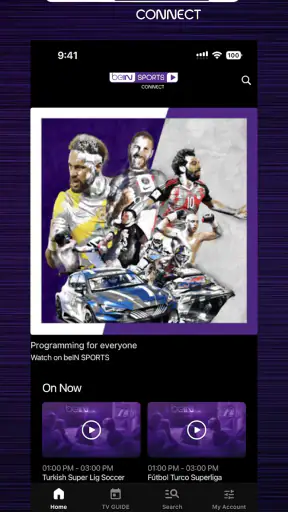
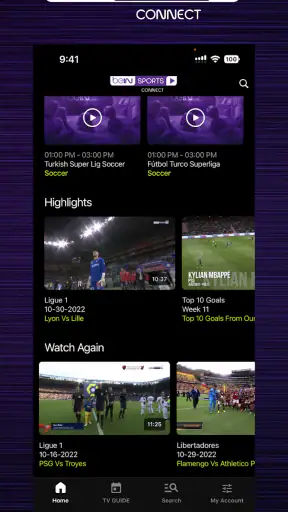
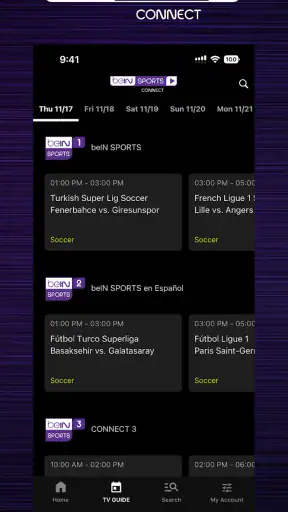
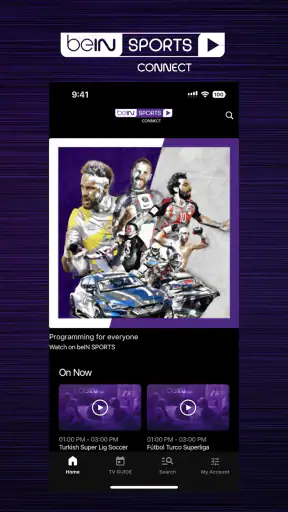
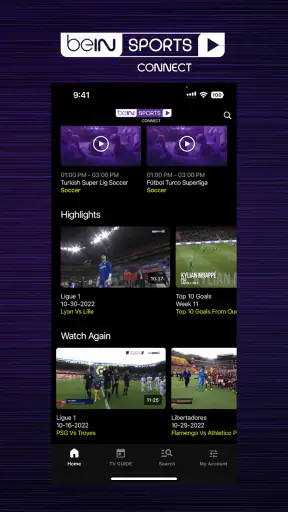
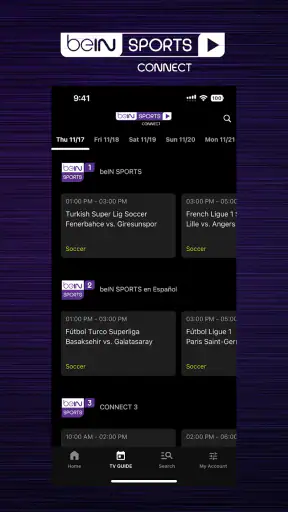
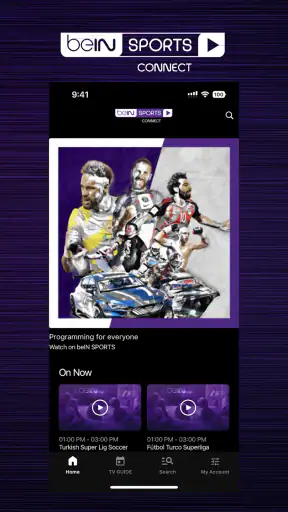
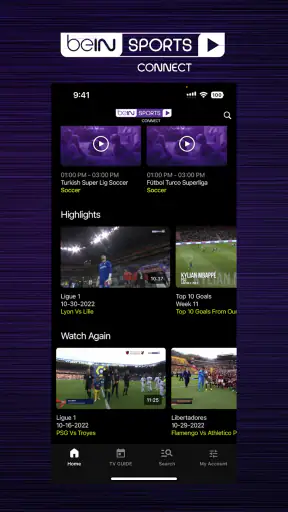
I look at beIN SPORTS CONNECT as a practical sports companion rather than a complete replacement for every way of following sport. It is a free sports app from beIN MEDIA GROUP, built around the beIN SPORTS experience on mobile devices. In everyday use, its value depends less on having a huge collection of tools and more on whether the coverage available to you matches the competitions you actually follow.
That distinction matters. A sports fan who already looks to beIN for live coverage, updates, or a familiar network experience may find this app an obvious place to start. Someone who wants one neutral service covering every league, every country, and every event may be happier comparing it with a broader sports-news app or a platform tied directly to a particular competition. I would not install it blindly; I would first ask whether beIN is the network I normally use.
How beIN SPORTS CONNECT feels during real sports use
Speed expectations before a match begins
The app is free to install, and the current Android version is 10.004.2. It requires Android 8.0 or later, which gives it a reasonably broad device range without targeting very old software. On a modern phone, I would expect the basic experience to feel familiar: open the app, look for the sport or event that interests you, and move through the available content without treating it like a demanding game.
Still, sports applications are judged at stressful moments. Nobody cares much about speed while casually browsing on a quiet afternoon; the real test arrives shortly before a major match, when many people open the app at once and want to find the right coverage immediately. My advice is to launch it several minutes early, especially if you are using it on a phone you rarely use for sports. That gives you time to sign in, check the available option, and deal with any account or access step before the opening whistle.
The app’s store summary calls it “The World-Class Sports Network,” but I would treat that as positioning rather than a promise that every sport will be equally useful in every location. The short description is simply “beIN SPORTS CONNECT,” so the practical question is what the service presents after installation in your region and under your access arrangement.
One useful habit is to avoid waiting until the exact start time to explore. I prefer checking the home screen earlier, identifying the competition, and keeping the route to it in mind. This is a small workflow change, but it reduces the most common kind of sports-app frustration: spending the first minutes of a match searching rather than watching or following the action.
What happens during heavy-use moments
Heavy use can mean several different things. It may be a crowded match window, a rapid sequence of score updates, or simply using the app while the phone is already busy with other tasks. In those situations, perceived performance is shaped by the phone, the connection, and the service itself, so I would avoid judging the app from one short session alone.
For a smoother experience, I would close apps that are actively consuming the phone’s attention, keep the device connected to a dependable network, and make sure there is enough battery for the session. These are not special beIN settings; they are sensible precautions for any sports service. They matter more on an older handset, where switching between a stream, messages, and a browser can feel noticeably less comfortable.
A second practical tip is to decide whether you are using the app for a focused match session or for quick checking throughout the day. Those are different workloads. For a quick check, opening the app, reading what is relevant, and leaving again is convenient. For a long session, I would keep the phone cool, avoid unnecessary multitasking, and use a larger screen when that is the more comfortable option. A phone is excellent for following sport away from home, but it is not always the best display for several hours.
I also would not confuse a slow moment with a permanent weakness in the application. Sports traffic can be unusually concentrated, and connection quality can change while you are moving between home Wi-Fi, mobile data, and public networks. If the app hesitates once, I would retry the same action before assuming the whole service is unreliable. If the same problem appears repeatedly on a stable connection, then the issue deserves more weight in the buying decision.
Reliability and recovering from interruptions
Reliability is more than opening quickly. For me, it includes finding the right content, staying oriented when I return to the app, and recovering sensibly after a temporary interruption. This is where preparation helps more than people expect. Before an important event, I would open the app, confirm that I am in the correct account area if one is required, and check that the intended coverage is actually visible.
If I leave the app to answer a message, I would expect the return experience to depend partly on the phone’s memory and operating system. A newer device may keep the app ready, while a more limited phone may reload it. That is not unique to beIN SPORTS CONNECT, but it changes how I use it: on a modest handset, I would avoid opening several demanding apps during a match and would accept that returning may take a little longer.
When something stops responding, I would use a simple recovery order. First, check whether the connection is still working in another app. Next, return to the sports section rather than repeatedly tapping the same control. If necessary, close and reopen the application. Finally, restart the phone only if the wider device is behaving badly. This approach helps separate a local app problem from a network or handset problem without wasting time.
The app has an average rating of 3.2 from around 22 thousand ratings, along with roughly 3.3 thousand written reviews. I read that as a sign to keep expectations realistic rather than as an automatic rejection. Ratings at this level usually suggest that the experience is useful for some viewers but uneven enough that device, region, access, or match-day conditions may matter. I would test it before relying on it for an event that is especially important to me.
Device limits and the Android experience
Android 8.0 is the minimum operating-system requirement, and that is helpful for people who are not using the latest phone. At the same time, meeting the software requirement does not guarantee that every older device will feel equally comfortable. Screen quality, available memory, battery health, and network hardware all influence how pleasant a sports session becomes.
On a small or aging phone, the main trade-off is convenience versus comfort. The app can put sports access in your pocket, which is valuable on a commute, at work during a permitted break, or away from a television. But extended viewing on a compact display may feel tiring, and an older battery can lose charge quickly during any media-heavy session. I would use such a device for short checks and reserve longer sessions for a more capable screen when possible.
Storage and background activity are also worth considering in a general way. I would keep the operating system reasonably tidy, remove unused applications if the phone is already crowded, and update the app through the normal store process when an update is offered. A phone with very little free space tends to make every application feel less dependable, so this is a device-maintenance issue as much as an app issue.
The age rating is Everyone, which makes the app broadly approachable from a content-rating perspective. That does not mean every sports discussion or match context will suit every family preference, but it does make the application less intimidating for households looking for a mainstream sports destination. Parents should still make their own decision about how children use any service connected with live sport and online accounts.
Who gets the most from it
I think the strongest audience is the fan who already recognizes the beIN SPORTS identity and wants a mobile route to the network’s sports experience. It is also a sensible option for someone who moves between home and mobile viewing, or who wants to check sports information without carrying a separate television routine everywhere.
Imagine a realistic weekday evening: I am away from home when I remember that a match is about to begin. Instead of searching several unrelated apps, I open beIN SPORTS CONNECT, check whether the event is available through the service I use, and decide whether the phone is enough for a quick session or whether I should wait until I reach a larger screen. That is where the app earns its place: reducing the distance between a sports fan and a familiar network.
It is less convincing for a person who wants a single universal scoreboard across every competition, or for someone who only follows one league that has its own dedicated application. A league-specific app may be better for deep team information, official competition tools, or narrowly focused alerts. A general sports-news app may be better when breadth matters more than a particular broadcaster. I would choose beIN SPORTS CONNECT for network-centered access, not as an automatic answer to every sports need.
Free installation, paid access, and the practical trade-off
The application itself is free, but in-app purchases range from forty-nine cents to seventy-nine dollars and ninety-nine cents per item. That makes it important to distinguish downloading the app from paying for content or access inside it. I would not assume that installing it means every event is included at no cost.
Before committing money, I would inspect the purchase screen carefully and confirm what the selected option covers. The sensible questions are simple: Is this the access I need for the event I care about? Is it a one-time choice or part of a broader arrangement? Does it fit the way I normally watch sport? Taking a minute to read the wording is especially worthwhile when the price range is this wide.
This pricing structure can work well for a regular beIN viewer who values the network enough to pay for the appropriate access. It may be poor value for an occasional fan who only wants one isolated result. In that case, a free news source or an official competition app may satisfy the need more cheaply, depending on the information required. I would compare the cost with how often I realistically expect to use the service rather than buying during the excitement of a single match.
How established is the app?
beIN SPORTS CONNECT has been available since September 26, 2016, and has passed one million installs. That history suggests it is not a brand-new experiment, while the current version shows that the product continues to be maintained as an Android application. The developer is beIN MEDIA GROUP, so the app’s identity is closely tied to that sports-media organization rather than to an independent scorekeeping project.
The install figure is encouraging for familiarity, but popularity alone does not settle whether it is right for me. A well-known sports app can still be a poor fit if its coverage, purchase model, or performance on my phone does not match my habits. I would use the app’s longevity as a reason to test it with some confidence, not as a reason to ignore the practical details.
My performance verdict
My overall view is cautiously positive for the right viewer. beIN SPORTS CONNECT makes the most sense when I want a mobile extension of beIN SPORTS and already have a reason to use that network. Its free download, broad Android compatibility, and established presence make it easy to try. The strongest benefit is convenience: having a recognizable sports destination available when I am away from the television.
The limitations are just as important. Match-day pressure can expose network or device weaknesses, older phones may feel less comfortable during long sessions, and the in-app purchase range means I would check access terms before spending. The middling average rating also tells me to test the application on my own handset instead of assuming a perfect experience.
My practical recommendation is to install it before the event you care about, not five minutes before it starts. Open it on your usual network, explore the relevant sports area, and decide whether the phone is suitable for the kind of session you want. If the app fits your preferred coverage and your device handles it comfortably, it can be a useful everyday sports tool. If you need universal coverage, deep league-specific features, or the lowest possible cost for occasional updates, another sports app may be the better choice.
In short, I would recommend beIN SPORTS CONNECT to fans who want the beIN experience in a mobile format and are willing to check the access details carefully. I would skip it as a default installation for someone who follows many unrelated competitions or only needs quick scores. Used with realistic expectations and a little preparation, it is a convenient sports app; treated as a guaranteed all-in-one solution, it may leave you wanting a more specialized alternative.


